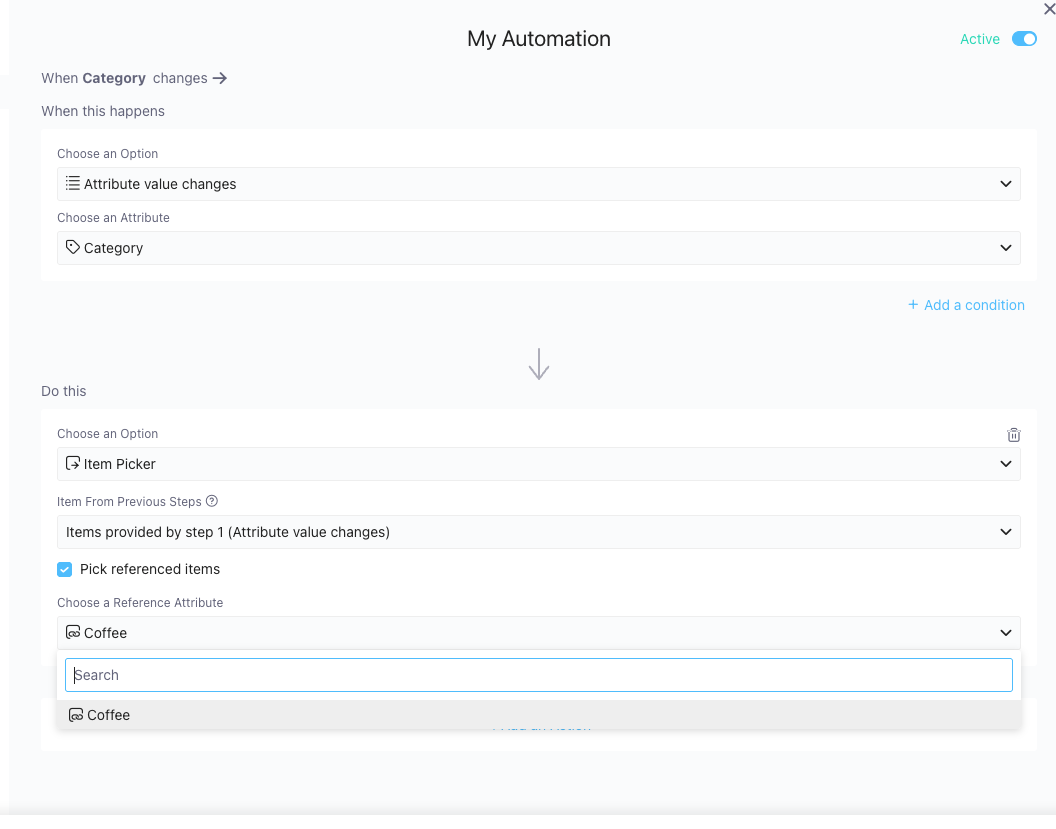
I’m working on an automation that creates a new item in a folder whenever the due date of an existing item is updated. The new folder is intended to function as a to-do calendar.
While the automation works well overall, I’m having trouble adding a reference to the original item. Currently, the only option I’ve found is to add the $itemurl to a description attribute. However, this results in plain text rather than a clickable URL.
Although I can manually add a reference once the item is created, I’d prefer to include this step (or an alternative solution) directly in the automation.
Thanks in advance for your help, and wishing everyone a great start to 2025!
Thumbs up for this. Using $step.item.url in appending to links-type attribute in an automation would be a major advancement in dependency management while seemingly keeping the current architecture intact. So many flows would be made possible with this addition.
Being able to work with references would totally be a dream. Currently a cover item (let’s say a story) and subitems (e.g. tasks) have totally different schema so I want to keep them in different folders. But linking them together is not possible in an automated way.
We have released some updates recently related to automations and references, so now it is possible to pull the values from the items from previous steps.
Also, the “Item Picker” (maybe not the best name) now has an option to “pick” the items from the reference so you can perform some actions there.
For example, you can have a ‘Projects’ folder with Reference attribute to ‘Tasks’, and when the project status is changed, you can take all the tasks and do something with them (update label, leave comment etc)